How to Help Executives Show Up Confidently and Effectively on Camera
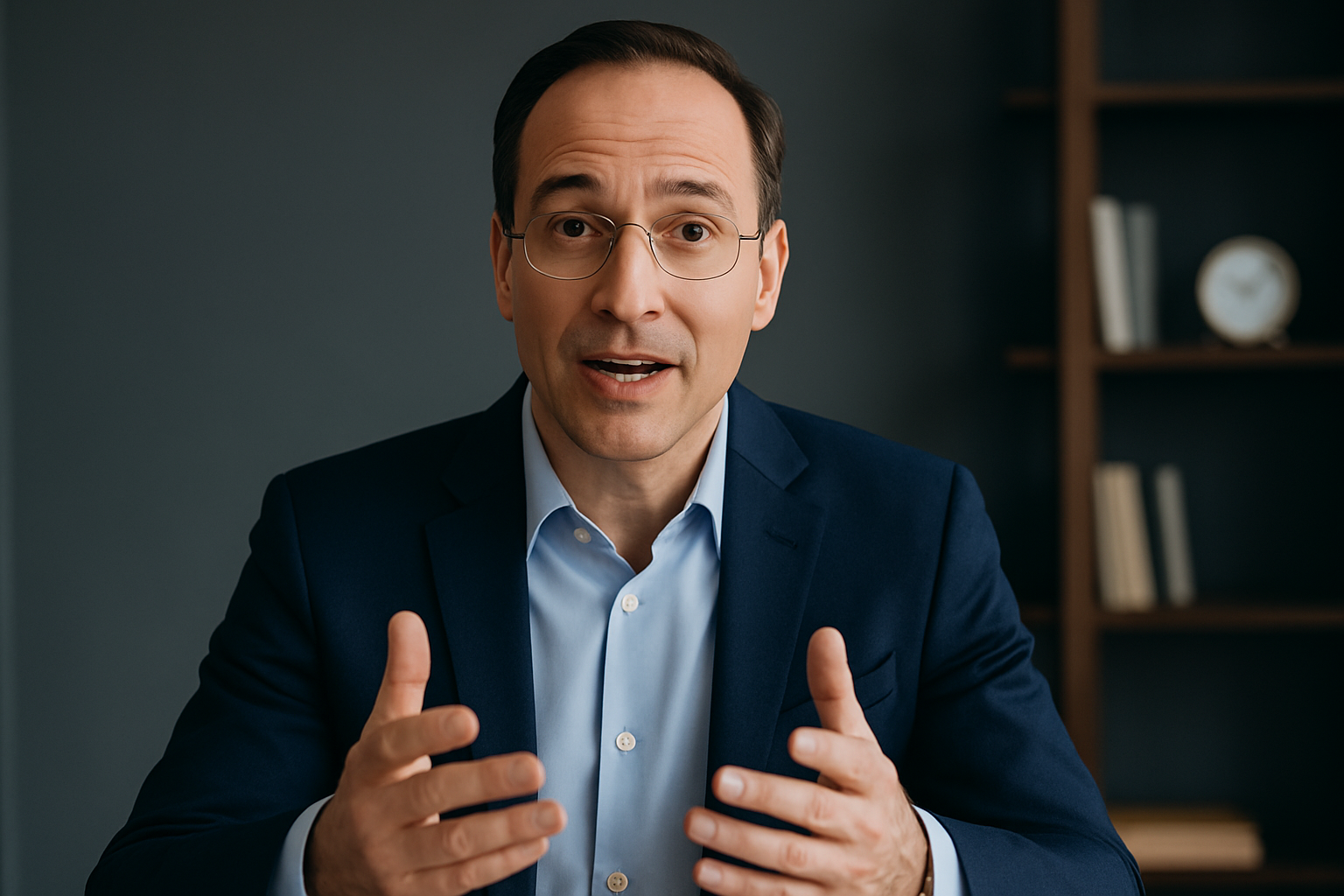
In today’s hybrid, distributed, and content-driven world, executives are expected to do more than lead—they’re expected to communicate clearly, confidently, and consistently on camera.
Whether they’re speaking to employees, the market, customers, or investors, great on-camera presence has become a core leadership skill. The challenge? Most executives rarely receive proper coaching, structure, or tools to help them look and sound their best.
This guide outlines a proven playbook for helping any executive show up well on camera—without requiring polished acting skills, hours of preparation, or heavy production support.
Why Executive On-Camera Presence Matters
1. People follow leaders they can see
Video humanizes leadership. Employees and customers feel more connected when they see the person behind the message.
2. Markets reward visible leadership
On platforms like LinkedIn, executives who show up consistently build trust, recognition, and industry influence.
3. Clarity drives alignment
A simple one-minute video from a leader can accomplish what a 700-word email often can’t: tone, intention, energy, and urgency.
4. Modern organizations expect authenticity
Over-produced corporate videos are giving way to conversational, direct, and authentic communication.
The 5 Essential Elements of a Great Executive On-Camera Presence
Helping an executive succeed on camera isn’t about teaching them to “perform.” It’s about setting them up with a system that plays to their strengths.
1. Messaging Clarity
Executives succeed when they speak to one message—not seven. Keep every video framed around:
- One core idea
- One desired takeaway
- One clear next step
Executives don’t have time for scripts. They do have time for tight message frameworks.
2. Authentic Delivery
Executives shouldn’t try to sound like broadcasters. They should sound like themselves—but more intentional.
Best practices:
- Talk to one person, not an audience
- Use short sentences
- Slow down 10–15%
- Smile at the beginning (sets tone)
- Pause after key ideas
Authenticity + clarity = trust.
3. Technical Setup That Makes Them Look Great
Most executives don’t need a studio. They just need the basics done well:
- Face a window or soft light
- Use a stable camera angle at eye level
- Keep background clean and brand-appropriate
- Capture audio through AirPods or a USB mic
- Use brand templates for consistency
It’s simple, and it makes them look instantly more polished.
4. Zero-Friction Recording Experience
You want your executive’s experience to be:
- Fast
- Easy
- Repeatable
- Consistent
The moment it requires tech troubleshooting, downloading apps, or re-shooting takes… they will stop doing it.
Give them:
- Clear prompts
- A system to record anywhere
- Auto-editing tools for brand consistency
- A predictable cadence
Consistency is a workflow problem, not a motivation problem.
5. Feedback That’s Supportive, Not Critical
Executives don’t need performance notes. They need simple, positive guidance:
- “Your message was clear—let’s tighten the hook.”
- “Great tone—try a bit more energy in the first five seconds.”
- “Your lighting is good, but shift 10 degrees to the right.”
Small improvements over time compound fast.
The Executive Video Prep Framework (Use for Every Recording)
Here’s a lightning-fast prep framework you can give any executive before they record.
1. Purpose
What outcome do you want from this message?
2. Audience
Who is this designed for, and what do they care about?
3. Point
What’s the one thing you want them to understand?
4. Proof
Story, insight, example, or data point that reinforces your message.
5. Punchline
The takeaway or call to action.
A complete video can be built around this in under 60 seconds.
Prompts That Make Executives Sound Sharp and Authoritative
These prompts work for internal messages, LinkedIn videos, town halls, or customer updates.
Leadership & Culture
- “One thing we’re focused on this quarter is…”
- “A lesson I’ve learned as a leader that still applies today…”
- “Here’s how I think about building a strong culture…”
Strategy & Vision
- “The biggest shift happening in our industry is…”
- “Here’s how we’re thinking about the next 12 months…”
- “A misconception people have about our space…”
Customer & Market Perspective
- “The most surprising thing I’ve heard from customers this month…”
- “Here’s what we’re learning from the market right now…”
Personal POV
- “What energizes me most about our work is…”
- “The advice I would give my younger self is…”
Simple. Human. High impact.
Coaching Tips for Helping Executives Feel Comfortable
This is where most communication teams struggle. Here’s the playbook that actually works.
1. Make the first 10 seconds easy
Start with a simple warm-up question:
- “What are you excited about this week?”
Gets them talking naturally and sets tone.
2. Never use scripts—use outlines
Scripts make executives sound stiff. Outlines keep them authentic but structured.
3. Record in 2–3 takes maximum
More takes = lower confidence. Capture it while the message has energy.
4. Give them early wins
Show a polished, branded clip right away. Momentum → confidence → consistency.
5. Build the habit around their schedule
Book short, predictable windows:
- 15 minutes weekly
- 20 minutes biweekly
- Monthly content sprint
Executives value consistency and efficiency.
How to Scale Executive Video Across the Organization
Once one leader gains confidence, others follow. Here’s how to operationalize it:
Create a Prompt Library
Industry POV, culture, customer insights, leadership lessons.
Set Up Brand Templates
Lower thirds, captions, colors, intros/outros.
Create a Recording Workflow
Simple link → record → auto-edited output.
Share Top Clips Internally
Build positive reinforcement.
Turn Video into Multi-Channel Content
Repurpose into:
- LinkedIn posts
- Blog content
- Internal newsletters
- All-hands snippets
- Customer updates
The same 60 seconds goes a long way.
Final Thoughts: Video Is Now a Core Leadership Skill
Executives don’t need studios, scripts, or perfect delivery. They need:
- Simple prompts
- A frictionless workflow
- Clear messaging structure
- Great brand templates
- Positive reinforcement
- Consistency
When you build the system, the confidence follows. When confidence rises, communication improves. And when executives communicate well, the entire organization benefits.
Helping leaders show up on camera isn’t just a communications function—it’s a competitive advantage.
Read more
Unlocking Video Thought Leadership Success in 2026
Key insights from industry leaders on why video has become the gold standard for modern thought leadership—and how organizations can adopt it at scale.
How to Help Executives Show Up Confidently and Effectively on Camera
A practical guide for helping executives communicate with clarity, confidence, and authenticity on video—whether for LinkedIn, internal messages, or broadcast content.

How To Run a Winning LinkedIn Video Thought Leadership Strategy
Learn the exact strategy top creators and executives use to build influence, authority, and demand using LinkedIn video thought leadership.